Website Audit Guide for Plumbers: What to Fix First
A plumber-specific website audit guide covering the exact issues that cost plumbing businesses calls, leads, and Google visibility — with a prioritized fix list you can tackle in a weekend.
If you're a plumber, your website has one job: make the phone ring.
After auditing hundreds of plumbing business websites, we know exactly which issues cost plumbers the most calls. This guide walks you through what to fix first — prioritized by impact — so you can turn your website from a digital brochure into a lead generation machine.
The Plumber's Website Reality Check
- Average score: 52/100 (below the all-industry average of 58)
- Most common critical issue: No click-to-call phone number on mobile
- Second most common: Title tags that just say "Home" or the business name
- Third: Site loads in 5+ seconds on mobile
- Fourth: No schema markup — Google can't understand your services
The good news? Most of these are fixable in a single weekend. Let's walk through them in priority order.
Fix #1: Make Your Phone Number Tappable
Over 70% of plumbing searches happen on mobile phones, often in urgent situations — a burst pipe at 2 AM, a backed-up drain before a holiday party.
What we see: Phone numbers displayed as plain text, images of phone numbers, or numbers buried in the footer where nobody scrolls.
What you need: A clickable tel: link in your header that stays visible as users scroll. The HTML is simple:
`html
`
Why it matters: Google's research shows that 60% of mobile searchers call a business directly from search results. If your number isn't tappable, you're losing those calls to the competitor whose number is.
Use our Click-to-Call Checker to see if your phone number is set up correctly.
Fix #2: Put Your Service + City in Every Title Tag
When someone searches "emergency plumber Austin TX," Google looks at your title tags first. A title tag that says "Home" or just your company name tells Google nothing about what you do or where you do it.
The formula: [Service] in [City, State] | [Business Name]
Examples:
- "Emergency Plumber in Austin, TX | ABC Plumbing"
- "Drain Cleaning Services in Round Rock, TX | ABC Plumbing"
- "Water Heater Repair Austin | Same Day Service | ABC Plumbing"
Your meta description matters too — it's the two-line snippet below your title in search results. Make it compelling with a call to action: "Licensed Austin plumber available 24/7. Call now for same-day service."
Check your current titles with our Meta Title Checker and descriptions with our Meta Description Checker.
Fix #3: Speed Up Your Mobile Site
Google's Core Web Vitals now directly affect your rankings. Sites with an Interaction to Next Paint (INP) score over 200ms see measurable ranking declines. For plumbing sites, the biggest speed killers are predictable:
- Stock photos of wrenches that are 3MB each. Compress them to WebP format — you'll cut file sizes by 80%
- Slider/carousel plugins. Remove them. Nobody clicks past the first slide, and they add 200-500KB of JavaScript
- Chat widgets that add 500KB of JavaScript. Defer loading until after the page renders, or remove entirely
- Unoptimized hero images. Your homepage hero should be under 200KB. If it's a 4MB DSLR photo of your van, resize and compress it
Quick test: Open your site on your phone using a 3G connection. If it takes more than 3 seconds to see content, you have a speed problem.
Use our Speed Snapshot to see your actual load time and Core Web Vitals scores.
Fix #4: Add Schema Markup
Schema markup is invisible code that tells Google exactly what your business does, where you're located, what services you offer, and what customers think of you. Without it, Google is guessing.
Essential schema types for plumbers:
Plumber(LocalBusiness): Your business name, address, phone, hours, service areaService: Individual services like "Emergency Pipe Repair" or "Water Heater Installation"AggregateRating: Your average review score and total review countFAQPage: Common questions and answers (great for voice search)
Why it matters: Schema-enabled pages are eligible for rich results — those enhanced listings with star ratings, hours, and price ranges that stand out in search results and get significantly more clicks.
Use our Schema Markup Checker to see if your site has proper structured data.
Fix #5: Create Service-Specific Pages
A single "Services" page listing everything you do is an SEO dead end. Create a dedicated page for each major service:
- Emergency plumbing
- Drain cleaning
- Water heater repair and installation
- Pipe replacement and repiping
- Sewer line inspection and repair
- Bathroom and kitchen plumbing
- Gas line services
Each page should have:
- 500+ words of unique, helpful content (not just a paragraph and a contact form)
- A location-specific title tag (e.g., "Drain Cleaning in [City]")
- A prominent call-to-action — phone number and contact form above the fold
- Real FAQ section answering questions customers actually ask ("How much does drain cleaning cost?" "How long does a water heater last?")
- Schema markup for the specific service
Fix #6: Show Trust Signals
Plumbing is a trust business. Customers are letting a stranger into their home. Your website needs to answer the unspoken question: "Can I trust this company?"
Must-have trust signals for plumbers:
- License number (visible on every page, ideally in the footer)
- Insurance/bonding information — customers want to know they're protected
- Google review rating prominently displayed (not buried on a testimonials page)
- 2-3 specific customer testimonials with names and the service performed
- Service area list with the cities and neighborhoods you cover
- Years in business — if you've been around 15+ years, say it loud
- Professional associations — PHCC membership, manufacturer certifications
Use our Trust Signals Check to see what's missing from your site.
Fix #7: Optimize Your Google Business Profile
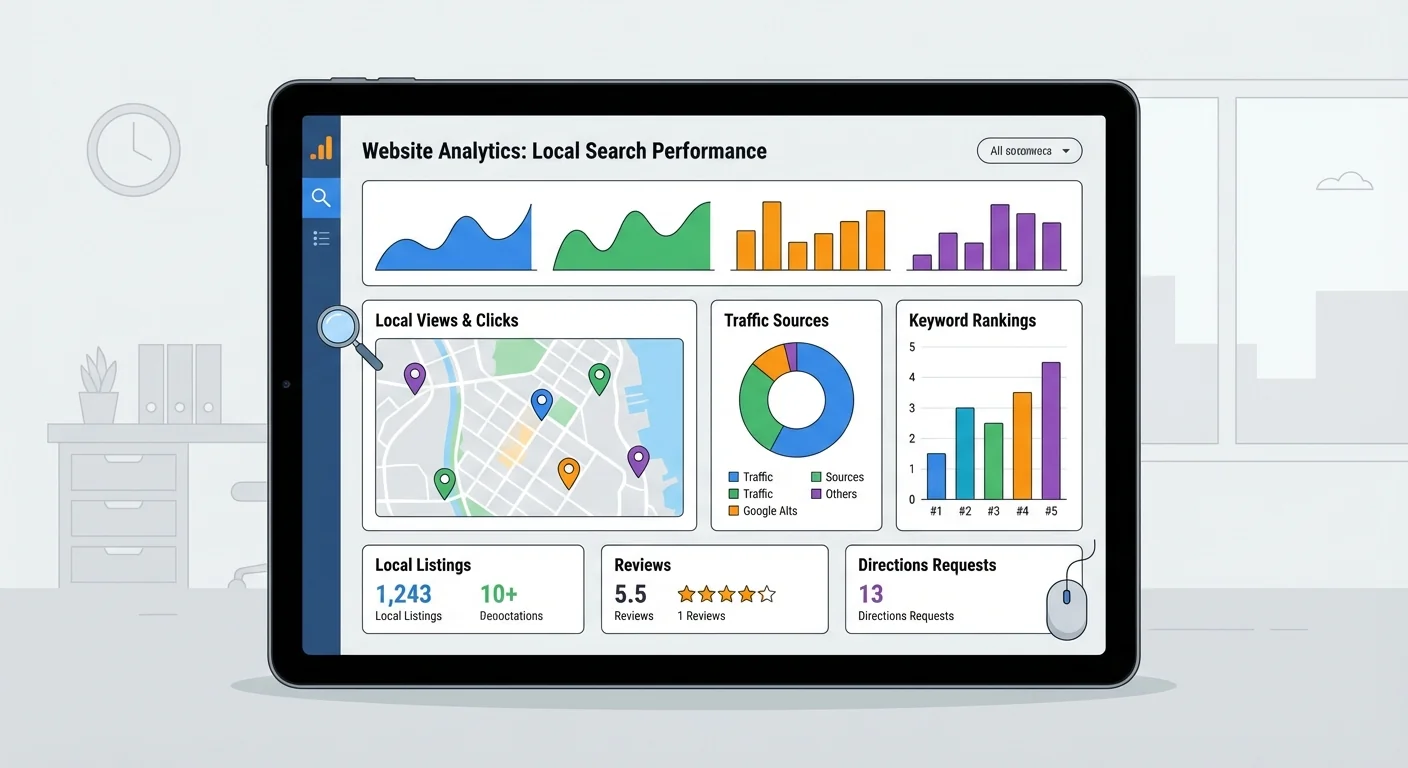
Your Google Business Profile (GBP) is often more important than your website for local searches. It determines whether you appear in the "Local Pack" — the map with three business listings that appears at the top of local search results.
GBP optimization checklist:
- Primary category: "Plumber" (not "Home Service" or "Contractor")
- Secondary categories: "Emergency Plumber," "Drain Cleaning Service," "Water Heater Repair Service"
- Photos: Upload real photos of your team, vehicles, and completed work weekly. Businesses with 100+ photos get 520% more calls than those with fewer than 10
- Google Posts: Publish weekly — seasonal tips, promotions, emergency availability
- Reviews: Aim for 20-25 new reviews per month. Consistent velocity matters more than total count
- Q&A: Pre-populate with common questions about your services, pricing, and availability
- Hours: If you offer 24/7 emergency service, make sure your hours reflect it
Check your local SEO fundamentals with our NAP Consistency Check and make sure your sitemap is properly configured for local pages.
Fix #8: Build a Review Strategy
Reviews are the lifeblood of plumbing SEO. They influence both your Google ranking and whether someone actually calls you over the competitor listed below you.
A simple review system:
- Text a review link within 2 hours of completing a job (while the experience is fresh)
- Make it one-tap easy — send a direct link to your Google review page
- Respond to every review — positive and negative. Google's algorithm rewards engagement
- Never offer incentives for reviews — it violates Google's policies and can get your profile suspended
Handling negative reviews: Respond professionally, acknowledge the issue, and offer to resolve it offline. Potential customers read your responses more carefully than the reviews themselves.
The Plumber's Priority List
Here's your weekend fix plan, ordered by impact:
| Priority | Fix | Time | Impact |
|---|---|---|---|
| 1 | Click-to-call phone number in header | 30 min | 🔴 Critical |
| 2 | Title tags with service + city | 1 hour | 🔴 Critical |
| 3 | Schema markup (LocalBusiness + Service) | 2 hours | 🟠 High |
| 4 | Speed optimization (images, plugins) | 2 hours | 🟠 High |
| 5 | Google Business Profile complete | 1 hour | 🟠 High |
| 6 | Service-specific pages (start with top 3) | 1 day | 🟡 Medium |
| 7 | Trust signals on every page | 2 hours | 🟡 Medium |
| 8 | Review collection system | 1 hour | 🟡 Medium |
See How Other Industries Compare
The issues plumbers face aren't unique — but the priorities differ by industry. See how other service businesses stack up:
- Dentist website audits — appointment booking and HIPAA compliance dominate
- Contractor website audits — portfolio pages and licensing are key
- Restaurant website audits — menu accessibility and hours are critical
- HVAC website audits — seasonal content and emergency visibility
Get Your Plumbing Website Score
We have an industry-specific audit for plumbers that benchmarks your site against other plumbing businesses in your area.
Or run your free audit now. Takes under 60 seconds, and you'll get a prioritized fix list specific to your site.
Sources
This article references best practices and data from authoritative sources including:
- Google Search Central - Local business structured data documentation
- Google - Mobile page speed benchmarks and click-to-call data
- Schema.org - Plumber schema type specification
- Web.dev - Interaction to Next Paint (INP) and Core Web Vitals documentation
- BrightLocal - Local consumer review survey data
- Google Business Profile Help - Business category and profile optimization guidelines
Last updated: March 2, 2026
Related Tools
Related Industries
Check your website for free
Get an instant score and your top 3 critical issues in under 60 seconds.
Get Your Free Audit →